0:00 — Links that know who clicked
What if every link you sent on Facebook told you exactly who clicked it? A name. A real person from your friends list. And what if the page they landed on already knew them? Their name. Their picture. The conversation you just had. I'm Jon Vaughn. My wife Aunkita and I have done over $10 million in organic sales from our own Facebook activity. In the next few minutes, I'm going to draw out exactly how I use Friender's link tracking to do this. Three secrets. Then I'll show you how to run it yourself, free, for the next seven days.
0:32 — Three secrets, then your free trial
Here's what we'll cover. Secret one. Every click can come with a name. Secret two. Your leads can record themselves. Every email and phone number they type, saved on the right contact. Secret three, and this one is my favorite. You can send each person a page made just for them, built from everything you know about them, including your conversation. Stay to the end, because that's where I show you everything you get. And the button to start is right below this video.
1:01 — Every offer ends with a link
So here's how I sell. Add friends. Create content. Make offers. I've been the only marketing and sales person for my companies since I started them. And every offer I make ends the same way. I send a link. A link to a sales page. A booking page. A free guide. That link is the moment a conversation turns into a customer.
1:22 — For years, that moment was a guess
For years, that moment was a guess. I'd send the link and wait. Did they click? Did they read it? Did they sign up with some other email, so I couldn't even tell it was them? And every person landed on the same page. The page I wrote for everybody. Even after a 20-minute conversation where they told me exactly what they needed.
1:41 — So we built it into Friender
So we built the answer into Friender. Tracked links that know who you sent them to. A tracking script for your website that follows that person from page to page. And a way for your page to ask Friender, who is this? And get the answer. Everything you know about them, right there on the page.
1:58 — My own pages run on it
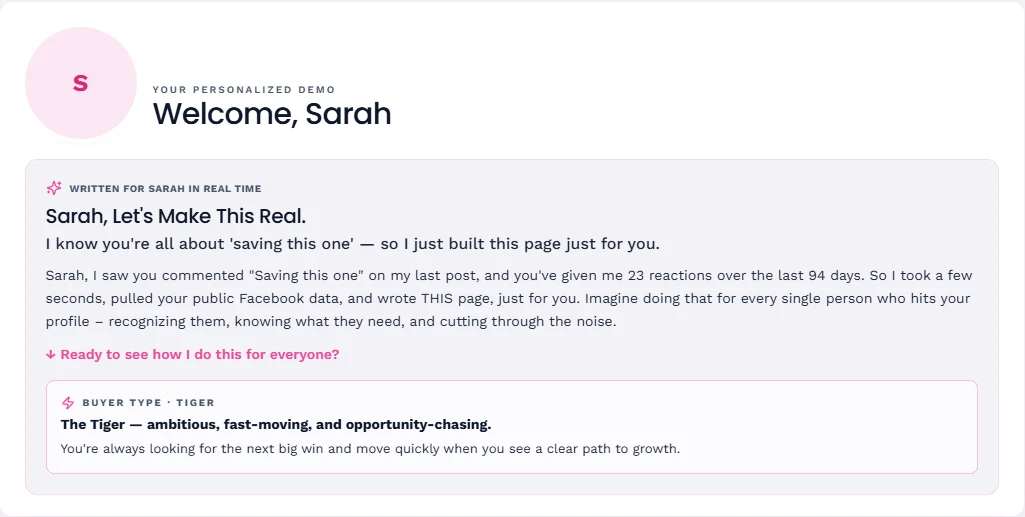
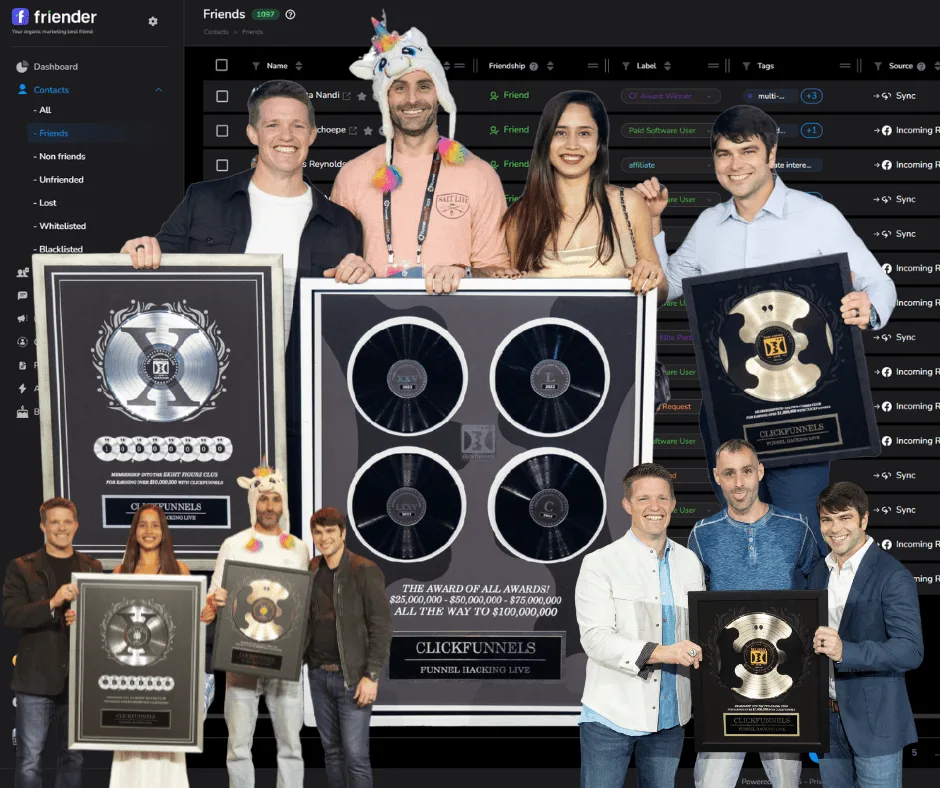
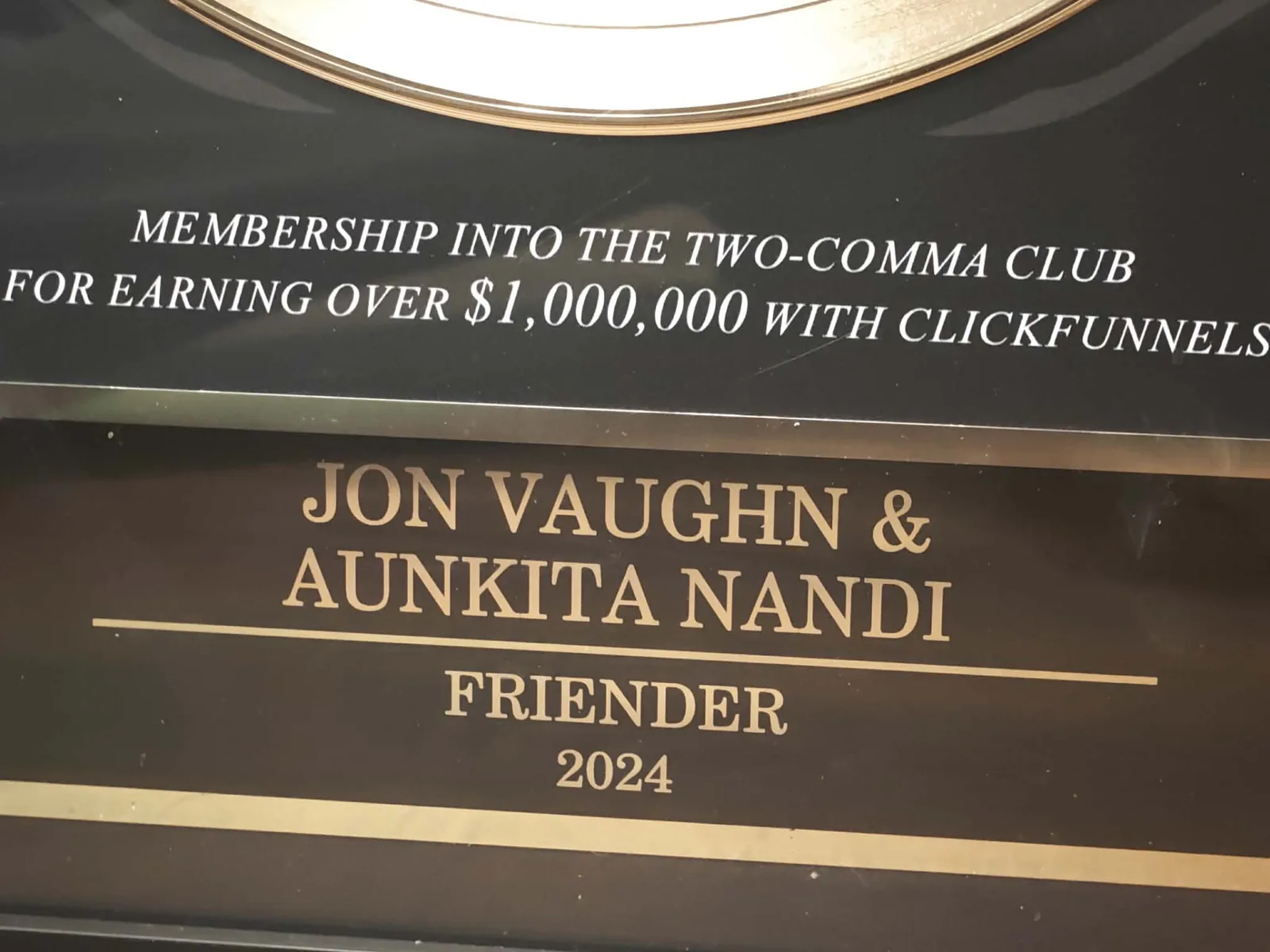
I use this in my own business. When I'm talking to someone about Friender, I send them my demo link. The page opens with their name and their picture, and it's written for them, from our conversation. In my business, personalized pages like that have increased conversions. In 2024, Friender earned us a ClickFunnels Two Comma Club award. That's one of six ClickFunnels awards Aunkita and I have earned. Those are my results, from my offers and my work. Yours will come from yours. What I can hand you is the system.
2:32 — What do customers say?
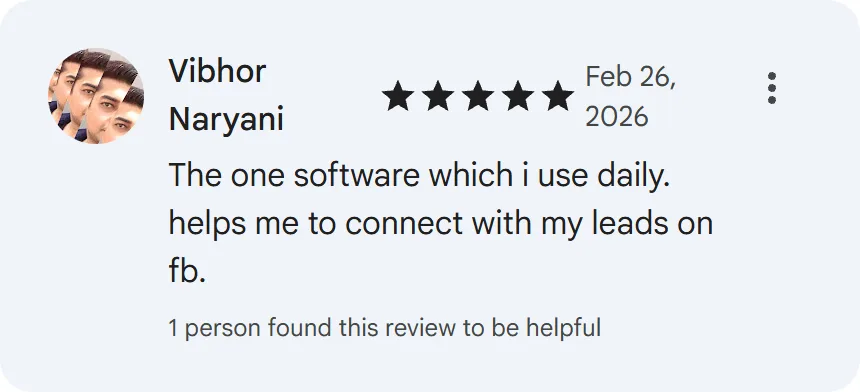
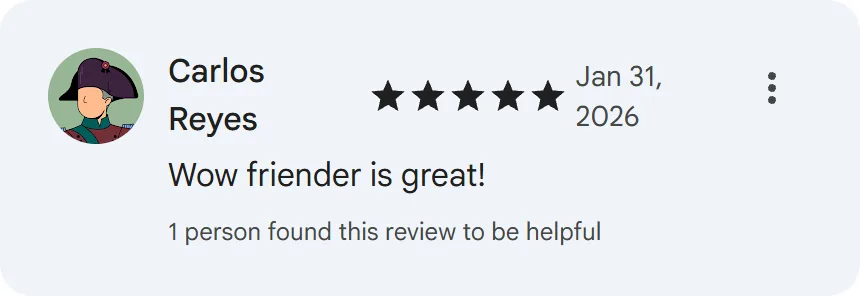
Jon: Those are my numbers. Here's what customers say about the software. Customer: This is perhaps the number one tool I use for all of my organic Facebook marketing. Customer: I think that this software is amazing. It gives you some amazing capabilities, um, as far as like prospecting sales, um, and other automation. Uh, it's just amazing. Customer: I had been falling more and more in love with the software day by day as it was helping me in my role as an online marketer. Customer: I started using some of his software and just realized the power of what he had. Customer: The software is amazing. Customer: I just thought, wow, that was amazing. You know, it was generating leads on autopilot. Jon: That's what customers say. Now let me hand you the system.
3:20 — Your conversation is your best sales copy
Here's the one thing I want you to get today. Your conversation is your best sales copy. In a real conversation, people tell you their business, their goal, and what's in the way. Friender keeps that conversation right on their contact. The tracking script carries it to your page. So every page you send can answer that one person. Make sense? Let's go through it.
3:40 — Make a tracked link
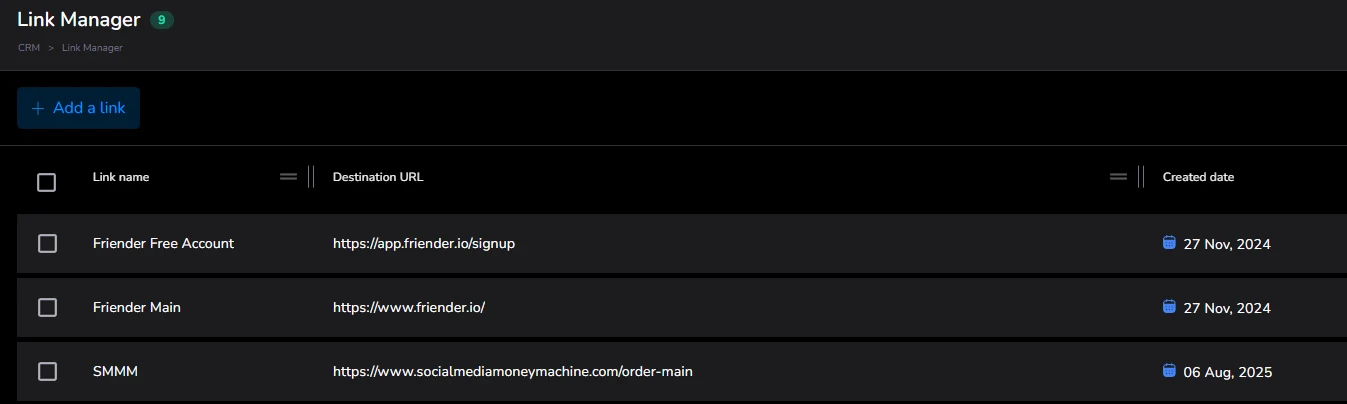
Secret number one. Every click can come with a name. Inside Friender, open CRM, then Link Manager. Click Add a link. Give it a name, like Offer page. Paste the page's web address, and save. Friender gives you back a tracking link. You can even send it through your own domain, like links.yourname.com, so every link looks like you.
4:04 — Put it in every message
Now use it everywhere you send people. In your message templates, click Link manager in the toolbar and pick your link. In your auto responder. In your follow-up campaigns. In the quick reply panel, right inside Messenger. Every person gets their own version of the link, so when they click, Friender knows exactly who it was.
4:23 — Follow them from page to page
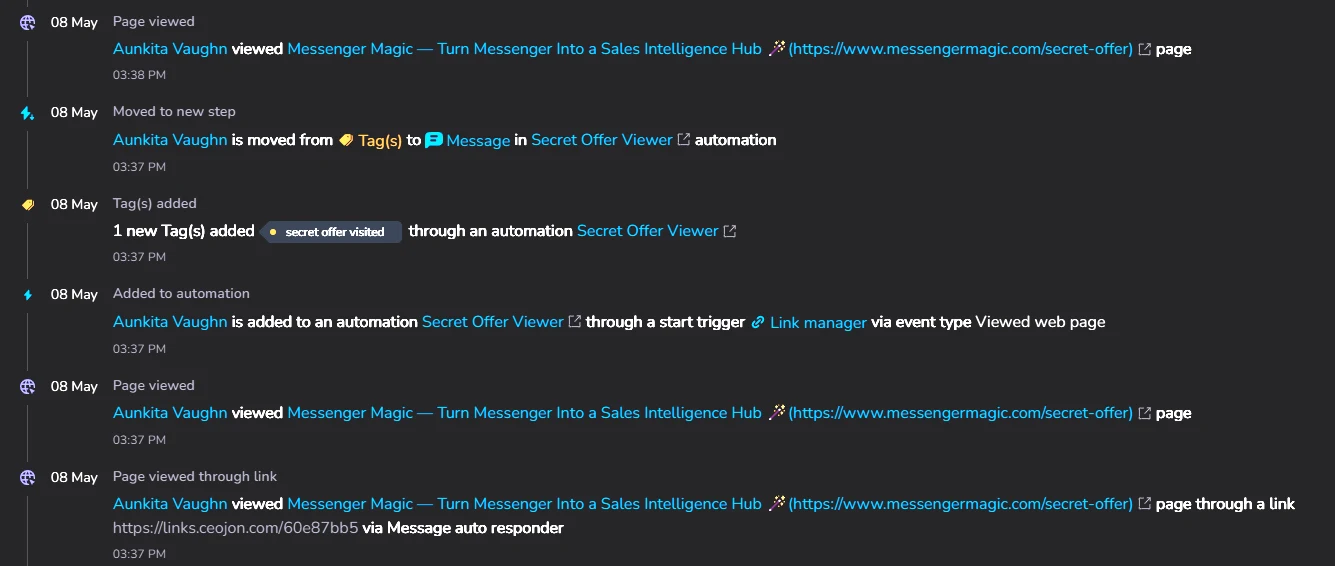
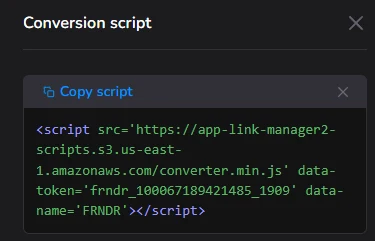
Then put Friender's tracking script on your website. It's one line. You copy it from Link Manager, under Tracking script, and paste it into the header of every page. Now you see more than the click. You see the pages they visit, right on their contact, in the Activity tab. And when they come back later in the same browser, Friender still knows it's them.
4:45 — Let a click start your follow-up
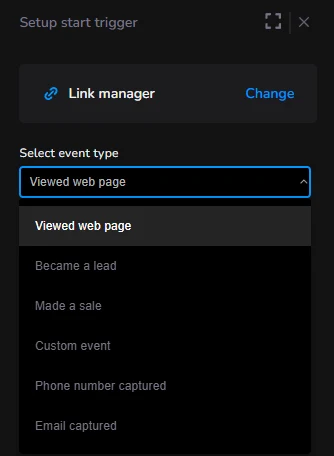
And here's where it gets fun. Any of that can start an automation. In the automation builder, pick Link manager as the start trigger. Viewed a web page. Became a lead. Made a sale. Somebody opens your pricing page, and your follow-up goes out. Somebody buys, and your welcome sequence starts.
5:04 — Your leads record themselves
Secret number two. Your leads can record themselves. When someone from your link fills in a form on your pages, the tracking script reads the email and the phone number they typed, and saves them right on their Friender contact. Automatically. Nothing extra to connect. The script you already installed does it. And an email captured, or a phone number captured, can start an automation too.
5:26 — Mark the lead and the sale
Then add two small events. On your thank-you page, paste the Lead script. On the page buyers see after they pay, paste the Sale script, with the amount. Now you can see which conversations became leads, which became sales, and for how much. And because every link has its own name, you'll see which links are actually making you money.
5:46 — Fill the form in for them
It works the other way too. With one more line, the script can fill your form in for them. The name, email and phone Friender has for that person go right into the boxes. They check it, and click the button. One less step between them and yes.
6:00 — Everything you know, on your page
Secret number three. And this is the most powerful thing in this whole training. When someone lands on your page from your link, your page can ask Friender one question. Who is this? And the tracking script hands back everything Friender has on that contact. Their name. Their profile picture. Your labels and tags. How long you've been friends. The comments and reactions they've left on your posts. And with Intelligence, your whole Messenger conversation, plus Friender's AI read on how they like to buy.
6:30 — The workflow
So here's the workflow. You add friends, from the places your buyers already gather. Your welcome message goes out when they accept. Then Friender reacts to and comments on their posts for you, so you stay in their feed. When they start commenting on your posts and messaging you, you have your normal sales conversation. Ask your questions. Learn what they do, what they want, and what's in the way.
6:54 — Send a page made for them
Then you send them a link to a page made for them. It opens with their name and their picture. Hey Sarah. The headline talks about her business. And the middle answers the exact thing she told you in Messenger. You said time is the hard part. Here's how this fits into 20 minutes a day. That's objection handling, written from a conversation you actually had.
7:15 — Build it once
Building it is simpler than it sounds. Your page reads one object from the script. Hand it to your developer, or tell your AI page builder to use it. Name goes here. Picture goes here. Her question goes here. You can even have AI write the whole letter from your conversation, the way my demo page does. Build it once, and every person you send gets their own version.
7:39 — Track it. Capture it. Personalize it.
So that's the system. Every click comes with a name. Every lead records itself. And every page can speak to one person, using everything you know about them. Track it. Capture it. Personalize it. Now let me show you what you get when you start today.
7:55 — Everything in Friender Intelligence
When you start your free trial, you get Friender Intelligence. That's our top plan. Everything. You get the Link Manager, with tracked links and your own custom domain. The website tracking script, lead and sale events, and automations that start from a page view, a lead or a sale. You get full message history sync and one-click profile enrichment, so your pages have the whole picture. You get targeted friend requests, your welcome message, and Auto Engage on your friends' posts. You get the Messenger CRM, campaigns, the automation builder, and the Post Scheduler. And you get the AI. It analyzes each contact, and it helps you write in your own voice.
8:38 — $0 today. Seven full days.
Here's the deal. Intelligence is $99 a month. You pay $0 today. You get seven full days to use all of it. If it's a fit, do nothing, and it continues at $99 a month. Want to walk away? Cancel before the seven days are up, and you pay nothing. Now think about the math for a second. If one new customer is worth more than $99 to you, then one customer a month covers it. Everything after that is yours to keep.
9:06 — Is it worth it?
Jon: Is it worth it? Here's what customers say. Customer: Now, I tested out this tool running like I normally use it against two different VAs doing the same exact thing all day long, finding my ideal prospects and sending them friend requests. And guess what? This tool outperformed both of the VAs combined, okay? Customer: I'd already used the software. I knew it was good stuff, and I jumped at the chance to, uh, get it, and I, I have not regretted it at all. It's helped me build my business, get, get leads. Customer: I really enjoyed the software. I use the software in my business. I've expanded my business using this software. The software is a great thing for me. Customer: Once you get in the tools and learn them, they really do sell themself because there is a need for them. Customer: This thing is invaluable, and I can't wait to continue to use it and grow my business. Customer: Get your copy today because you will not be sorry. Jon: That's what it's been worth to them, in their own words.
10:12 — What you need to run it
Three quick questions people ask me. What do I need? A computer, desktop Chrome, and your Facebook account. Friender works through a Chrome extension, so your messages and automations run while Chrome is open on your computer. Do I need a website? You need a page where you can paste a script into the header. Most page builders have a box for that. Do I have to code? Links, tracking and lead capture are copy and paste. For a personalized page, you or your AI page builder put the fields where you want them. And the AI inside Friender runs on your own OpenAI or OpenRouter key.
10:49 — Your first week with link tracking
Here's what I'd do with the seven days. Day one. Install the Chrome extension and connect your Facebook. Day two. Make tracked links for your offer page and your booking page, and put them in your messages. Day three. Paste the tracking script on your site, and test a click with a friend. Day four. Add your lead and sale events. Day five. Build one automation that starts when someone views your offer page. Days six and seven. Build your first personalized page, and send it to one person you're already talking to.
11:22 — Start your 7-day free trial below
So click the button right below this video. It says, start my 7-day free trial. Pick one offer. Make one tracked link. And the next time someone tells you what they need, send them a page that answers them, by name. I'm Jon Vaughn. I'll see you inside Friender.